Workshop 06: Unterschied zwischen den Versionen
| Zeile 9: | Zeile 9: | ||
sudo systemctl enable apache2 | sudo systemctl enable apache2 | ||
</code> | </code> | ||
<gallery mode="packed" heights="250px"> | |||
File:apache2instal.png|'''Apache wird hier installiert''' | |||
File:apache2bestätiugung.png|'''Erfolgreiche Installation''' | |||
</gallery> | |||
=== MySQL & PhpMyAdmin === | === MySQL & PhpMyAdmin === | ||
Version vom 14. April 2025, 10:03 Uhr
Webserver-Einrichtung auf Raspberry Pi
Installation
- Apache und PHP auf dem Raspberry installiert.
sudo apt-get install apache2 -y

sudo apt-get install php php-mysql

sudo systemctl start apache2

sudo systemctl enable apache2
-
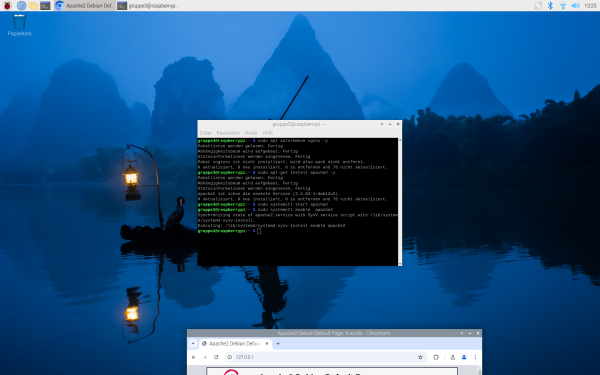 Apache wird hier installiert
 -
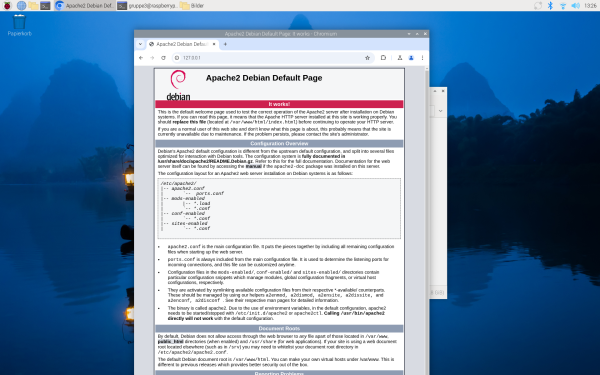 Erfolgreiche Installation


MySQL & PhpMyAdmin
- MySQL & PhpMyAdmin auf dem Raspberry installiert und konfiguriert.
sudo apt-get install mariadb-server

sudo systemctl start mariadb

sudo systemctl enable mariadb

sudo mariadb-secure-installation


sudo apt-get install phpmyadmin

sudo ln -s /etc/phpmyadmin/apache.conf /etc/apache2/conf-available/phpmyadmin.conf

sudo a2enconf phpmyadmin.conf

sudo service apache2 restart

sudo dpkg-reconfigure -plow phpmyadmin
PhpMyAdmin Login
- Sich in PhpMyAdmin einloggen (im Browser)
http://<IP-Adresse-des-Raspberry>/phpmyadmin
FTP Installation
- FTP auf dem Raspberry installiert.
sudo apt-get install proftpd

sudo nano /etc/proftpd/proftpd.conf
Konfigurationsinhalt:
DefaultRoot ~
AuthOrder mod_auth_file.c mod_auth_unix.c
AuthUserFile /etc/proftpd/ftpd.passwd
AuthPAM off
RequireValidShell off
Benutzer erstellen und Rechte setzen:
sudo ftpasswd --passwd --name ftpuser --uid 33 --gid 33 --home /var/www/ --shell /bin/false

sudo chmod g+s /var/www

sudo chmod 775 /var/www

sudo chown -R www-data:www-data /var/www

sudo reboot
Sicherung erstellen
- Image des aktuellen Standes aller Workshops 1–6 erstellt.
Dokumentation
- Das Ganze im Portfolio dokumentiert, sodass es jederzeit nachgebaut werden kann.
CMS Installation
- Ein CMS installiert, z. B. WordPress oder Joomla, eine Defaultseite geladen und Gruppenmitglieder darauf erwähnt.
cd /var/www/html/

sudo rm index.*

sudo wget https://wordpress.org/latest.tar.gz

sudo tar xzf latest.tar.gz

sudo mv wordpress/* .

sudo rm -r latest.tar.gz wordpress

sudo chown -R www-data: .
Browserzugriff:
http://<IP-Adresse-des-Raspberry>/index.php